This is for Supervisors to listen to call recordings.
Keep in mind, the call recordings are not kept indefinitely.
Login to the Phone portal: https://portal.nvgvoip.ca
Username: extension@company.nvgvoip.ca
Password: This was set up during the welcome email
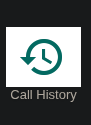
Once logged in, click on Call History Tab.
You can then click on Listen button on the right side to listen.
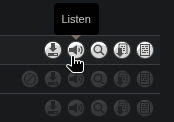
Once clicked, the audio player will show.

Press the play button to listen.
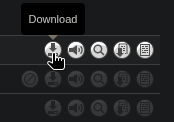
You can also download the recording if needed.
Searching the calls
You can search by:
User (extension).
Caller Number.
Called Number.
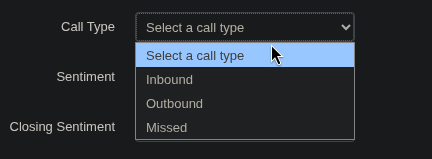
Call Type.
By date or Date range.
To start, click on Filters button on the left side.
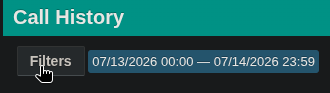
Type in the Extension.

Or Name,

Click on Filter button.
Now all calls will display from that user.
You can search by Phone Number.
Caller Number
or
Dialled Number
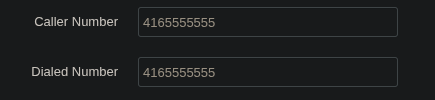
By combining the user, call history will be filtered to show calls received or made to a number from that user.
You can further filter or fylter only by choosing the direction of the call.
In case you need to search a call by Date, you can select Date Range From and To.
Click on the calendar, beside either From or To, to make a selection.
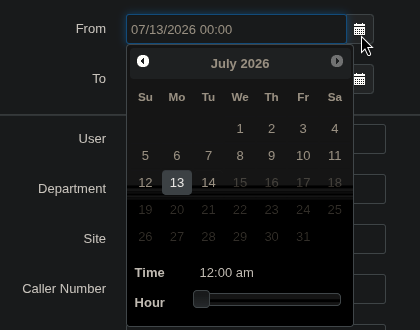
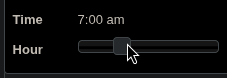
You can also specify the Time by sliding the Hour slide bar.
Note: You can only download one by one recording.
Unfortunately, there is no option for bulk downloading the recordings.
Was this article helpful?
That’s Great!
Thank you for your feedback
Sorry! We couldn't be helpful
Thank you for your feedback
Feedback sent
We appreciate your effort and will try to fix the article