This is for Call Centre Supervisors and how to monitor calls - listen, whisper and joining a call of active agents.
Login to the Phone Portal at https://portal.nvgvoip.ca
Username: extension@company.nvgvoip.ca
Password: The one you set through welcome email
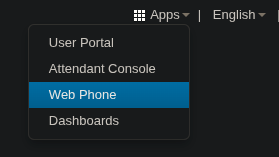
Open the Web Phone in case you want to whisper or join a call.
You can view Web Phone KB here: Web Phone Guide.
For any troubleshooting, visit Web Phone Troubleshooting.
You can answer on your physical phone, but it will only listen to the call.
Listen To A Call
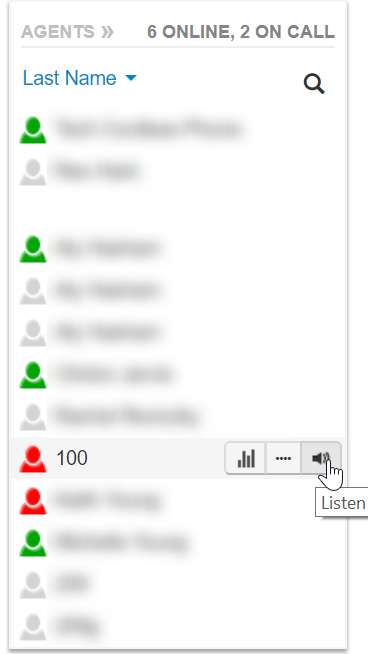
From the Call Centre tab, click the speaker icon next to the agent you would like to listen to:
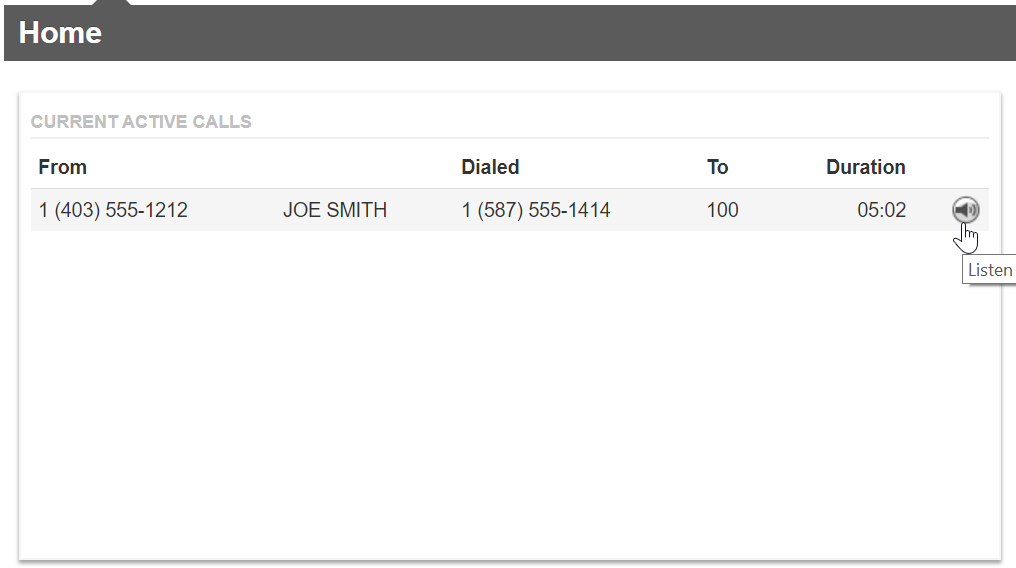
From the Home tab, click the speaker icon next to the call you would like to listen to:
Note: Only Basic Users and Call Centre Agents can be listened to. If you need to listen to Supervisors, you will need higher permissions. Please reach out to NVG Communications Support to request it and if approved, we will assign it for you.
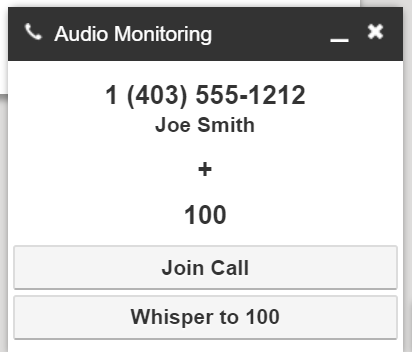
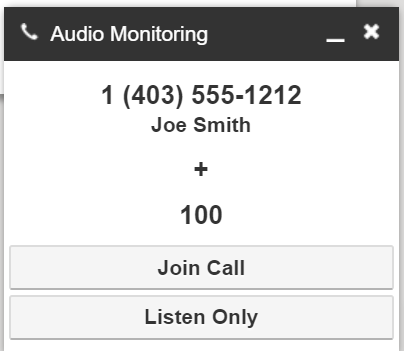
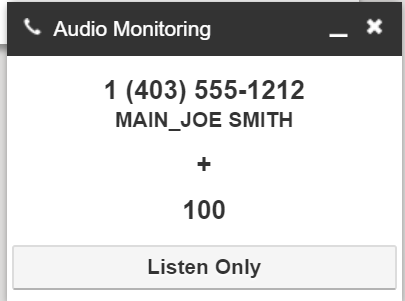
Once the speaker icon has been clicked, your phone will ring, and a notification will appear at the bottom of your Manager Portal, indicating the status of the listening state.
You can click the options in this notification to change to:
Barge (Join Call).
Whisper to the Agent/User.
Listen only.
Whisper to Agent
Clicking “Whisper to …” allows you to speak only to the Agent/User.
The other party cannot hear the whisper.
When the Agent/User speaks, all parties on the call will hear it.
Click Listen only to return.
Join The Call (Barge)
Clicking Join Call will add you to the call, which will be a three-way call.
It allows the Agent/User and the far end to hear you and respond to you.
Was this article helpful?
That’s Great!
Thank you for your feedback
Sorry! We couldn't be helpful
Thank you for your feedback
Feedback sent
We appreciate your effort and will try to fix the article