Open Adobe Acrobat.
 Go to Edit → Preferences.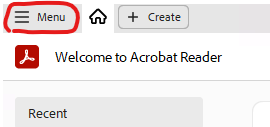
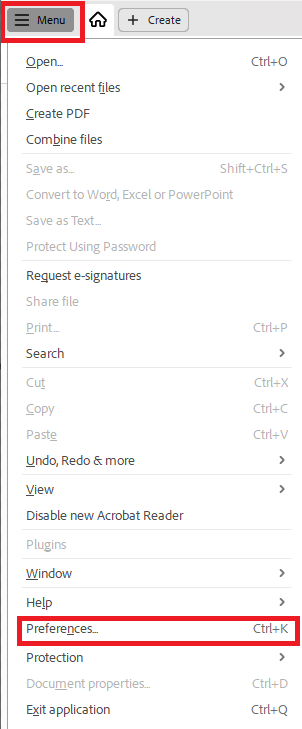
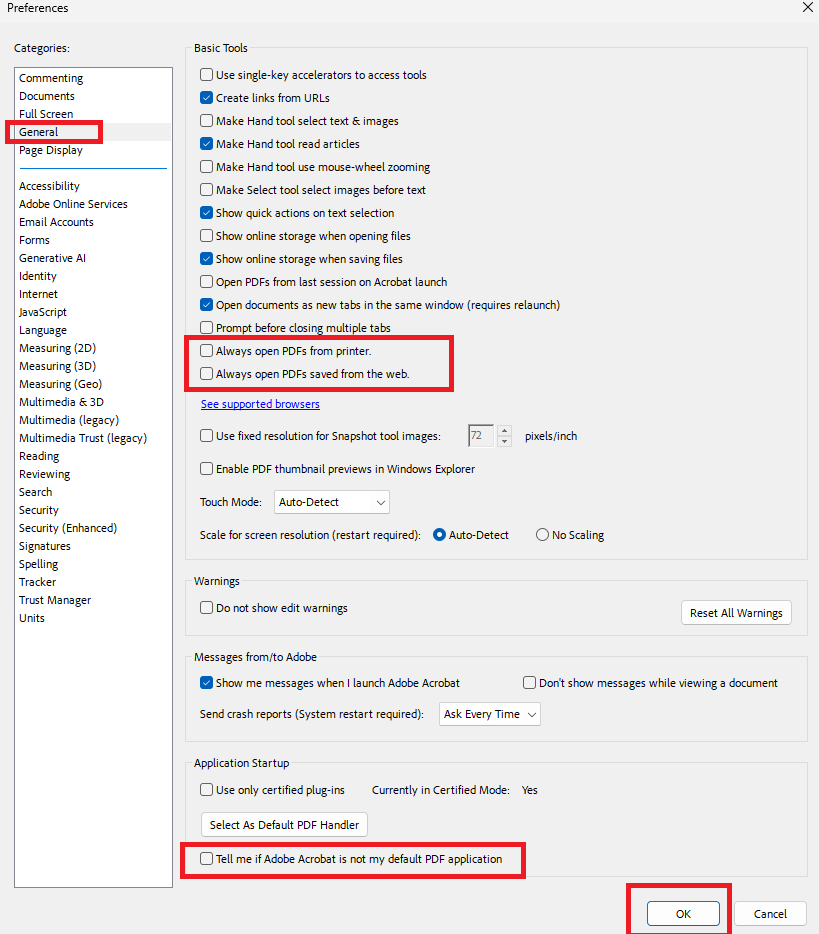
In the left-hand menu, click General.
Under Basic Tools, find the following two options and uncheck them:
“Always open PDFs from printer”
“Always open PDFs saved from the web”
Click OK to save your changes.
Was this article helpful?
That’s Great!
Thank you for your feedback
Sorry! We couldn't be helpful
Thank you for your feedback
Feedback sent
We appreciate your effort and will try to fix the article